Баланс
Claude Fable 5.1
Thinking-модель для повседневного кода, рефакторинга и длинных сессий в чате.
Cursor в России · без VPN
How to use Cursor in Russia — Claude Fable, Opus, Sonnet: почему из РФ модели часто недоступны и как всё равно работать в Cursor.
Cursor in Russia · how to use Cursor in Russia · Cursor в России · как использовать Cursor в России
Как выглядит десктопное приложение при попытке включить Claude из РФ: переключатели неактивны, в списке — Unavailable in your region.
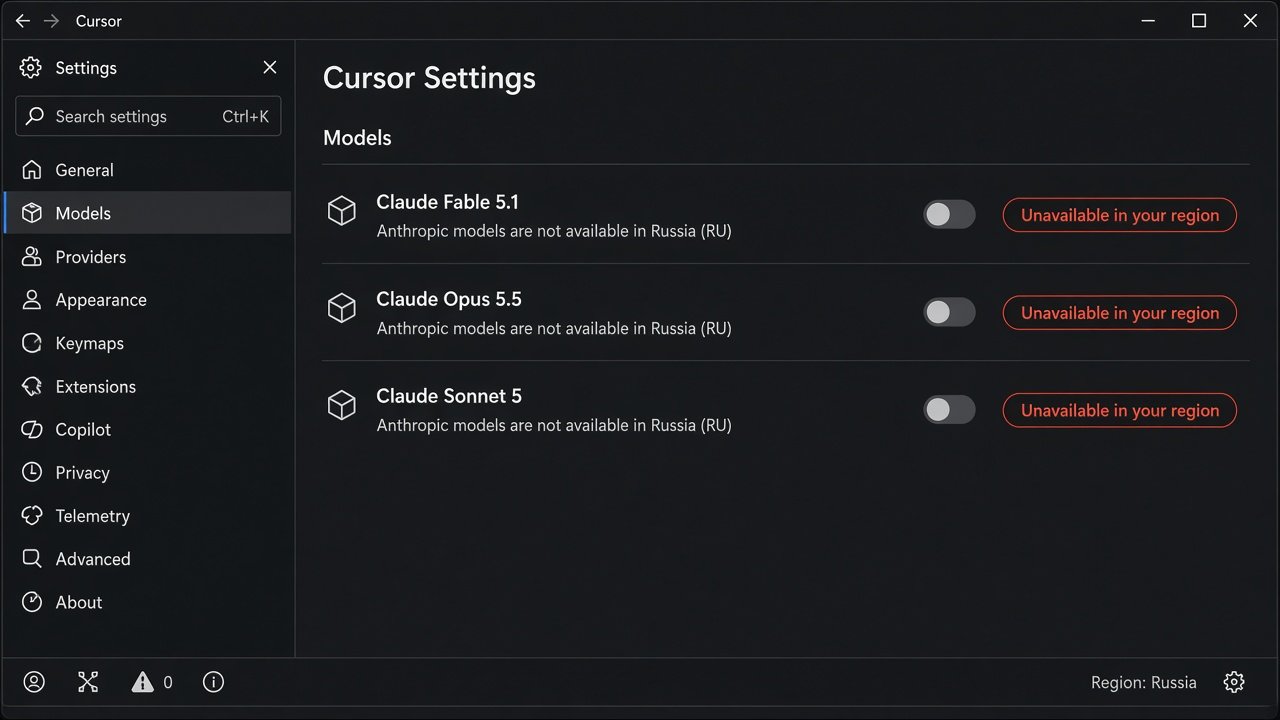
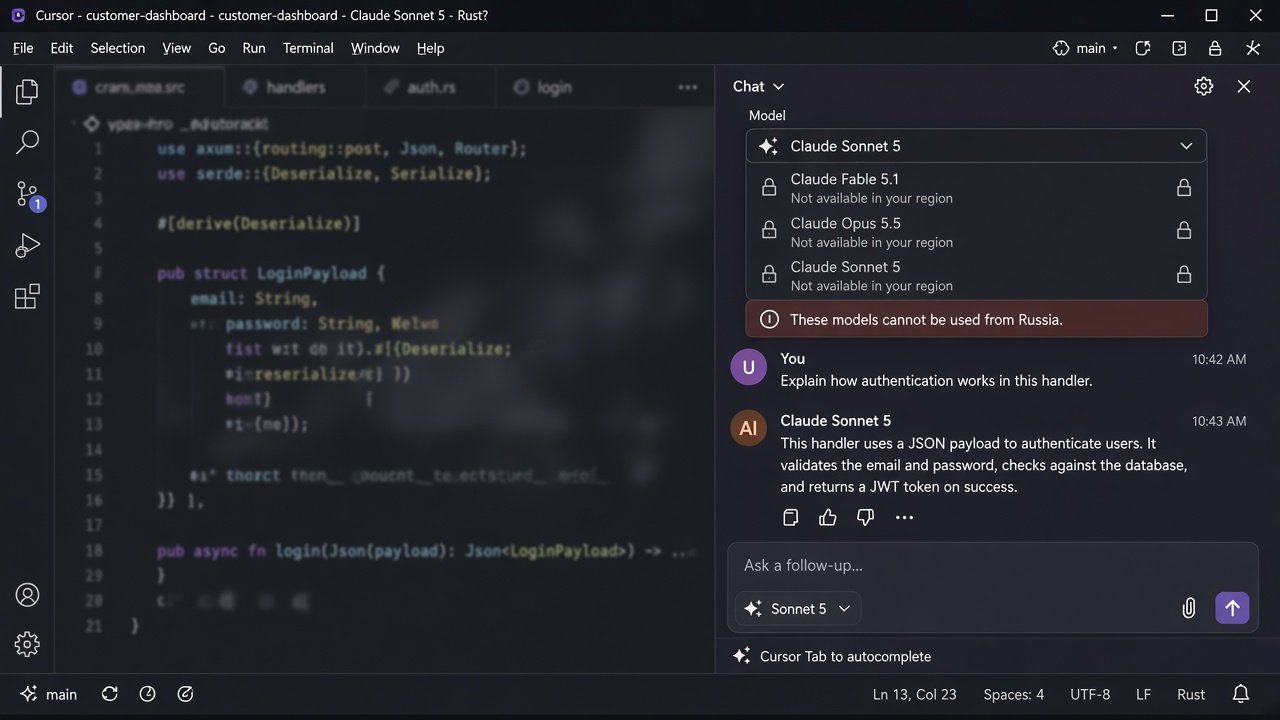
Модели Anthropic Claude идут через инфраструктуру Cursor и политику провайдера. В других регионах доступны три отдельные строки. Из России они часто видны в UI, но использовать нельзя.
Thinking-модель для повседневного кода, рефакторинга и длинных сессий в чате.
Сложная архитектура, крупные Agent-задачи и глубокий разбор кодовой базы.
Быстрый Sonnet для Chat, Composer и Agent — середина между скоростью и точностью.
| Модель | Settings | Chat | РФ |
|---|---|---|---|
| Fable 5.1 | Toggle off | Замок | Нет |
| Opus 5.5 | Toggle off | Замок | Нет |
| Sonnet 5 | Toggle off | Замок | Нет |
Anthropic Claude models follow Cursor routing and provider policy. Elsewhere you may enable three separate entries. From Russia they often appear in the UI but are not usable.
Thinking tier for everyday coding, refactors, and long chat sessions.
Architecture, large Agent runs, and deep codebase analysis.
Fast Sonnet for Chat, Composer, and Agent — speed with strong accuracy.
| Model | Settings | Chat | RU |
|---|---|---|---|
| Fable 5.1 | Toggle off | Locked | No |
| Opus 5.5 | Toggle off | Locked | No |
| Sonnet 5 | Toggle off | Locked | No |
01 · Solutions
Press the Windows key, type Terminal or PowerShell, and open it. You should see a dark window with a blinking cursor.
Click inside the terminal, paste with Ctrl+V, then press Enter. If a permission box appears, click Yes.
winget install --id=Anysphere.Cursor -e
Open Cursor, sign in, then go to Cursor Settings → Models. Enable what your region allows. Claude Fable 5.1, Opus 5.5, and Sonnet 5 may still show as unavailable from Russia.
Press Command+Space, type Terminal, press Return. Leave the window open.
Paste with Command+V, then Return. Enter your Mac password if asked — letters stay hidden. That is normal.
brew install --cask cursor
Launch Cursor from Applications, sign in, open Settings → Models, and pick enabled models for Chat and Agent.
Press Ctrl+Alt+T, or open Terminal / Konsole from your app menu. You should see a prompt and a blinking cursor.
Paste with Ctrl+Shift+V (not Ctrl+V in many terminals), then Enter. Wait until the script finishes.
curl -fsSL https://cursor.com/install | bash
Start Cursor from your menu, sign in, and check Settings → Models for models available without VPN from your region.